★ My Teacher · your Learning Coach
My Teacher, in full
A coach with a face and a voice who teaches one learner a whole lesson, part by part: a story, a think-aloud, the picture explained, practice with second chances, the learner's own words, and growth they can see. Kindergarten to grade 12 and Adult Education. No account, nothing leaves the device.
- Scripted lessons, every subject
- 200 courses
- K–12 and Adult Education
- 330 Center skills to practice
- 8 coaches + 2 of the learner's own
Why it was built
Curriculum by Design was started by a special education teacher who works with young people that school has often failed: students who are behind, who learn best one to one, many with IEPs, many reading below grade level.
A teacher can sit beside one student for a whole lesson only rarely. My Teacher is an attempt to give every learner that hour: a coach who tells the story, thinks out loud, points at the picture, waits for an answer, notices a guess, comes back to what was missed, and is proud of the effort.
It is built on what works for these learners: short parts, clear goals, visuals explained rather than shown, retrieval and second chances, talk before writing, life connections, and no shame in a wrong answer.
And it has to be enjoyable. A learner who wants to stay to the end learns more than one who is made to. Stories, predictions, games, the coach's voice and face, choosing a coach for each subject, and seeing their own growth are all there for that reason.
What it looks like
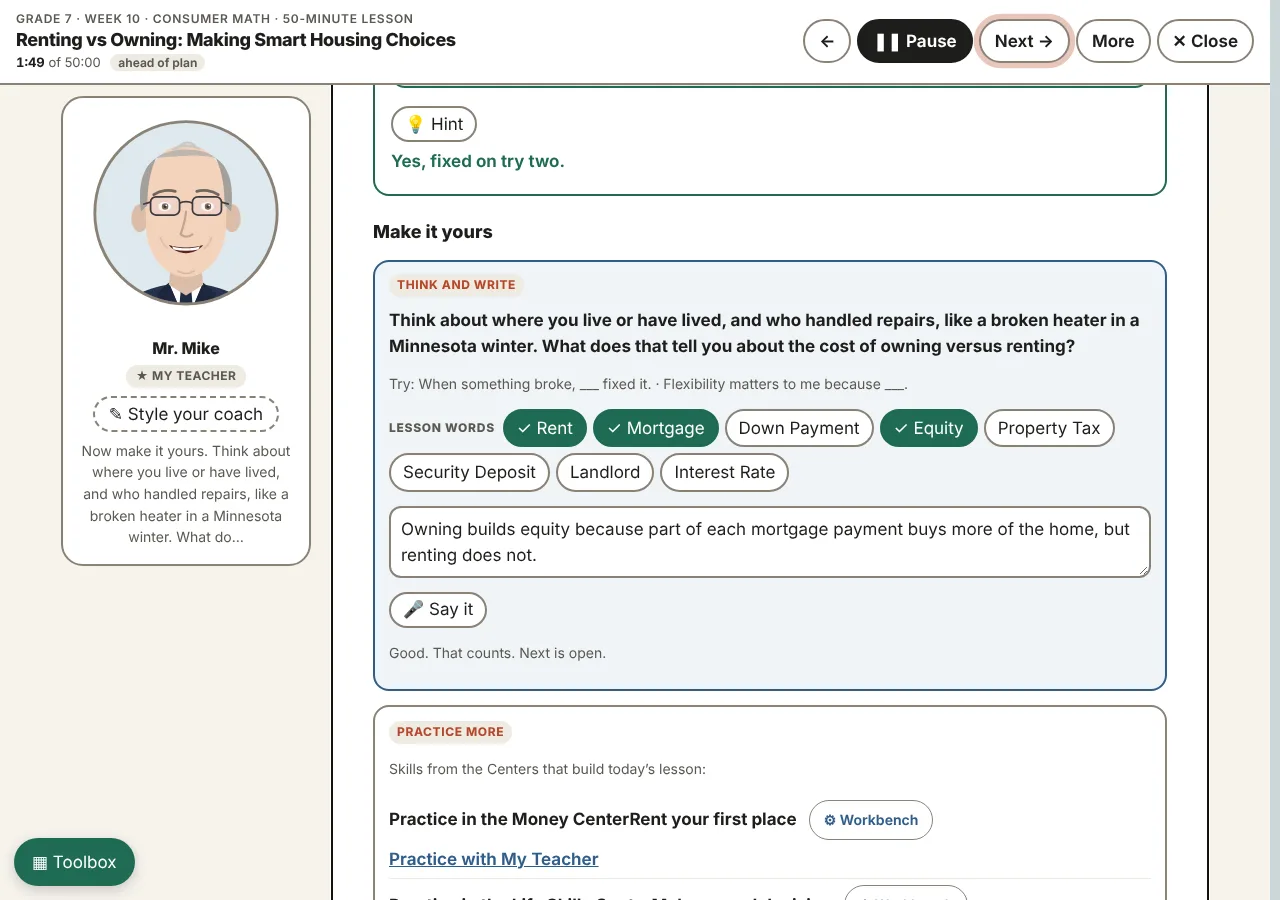
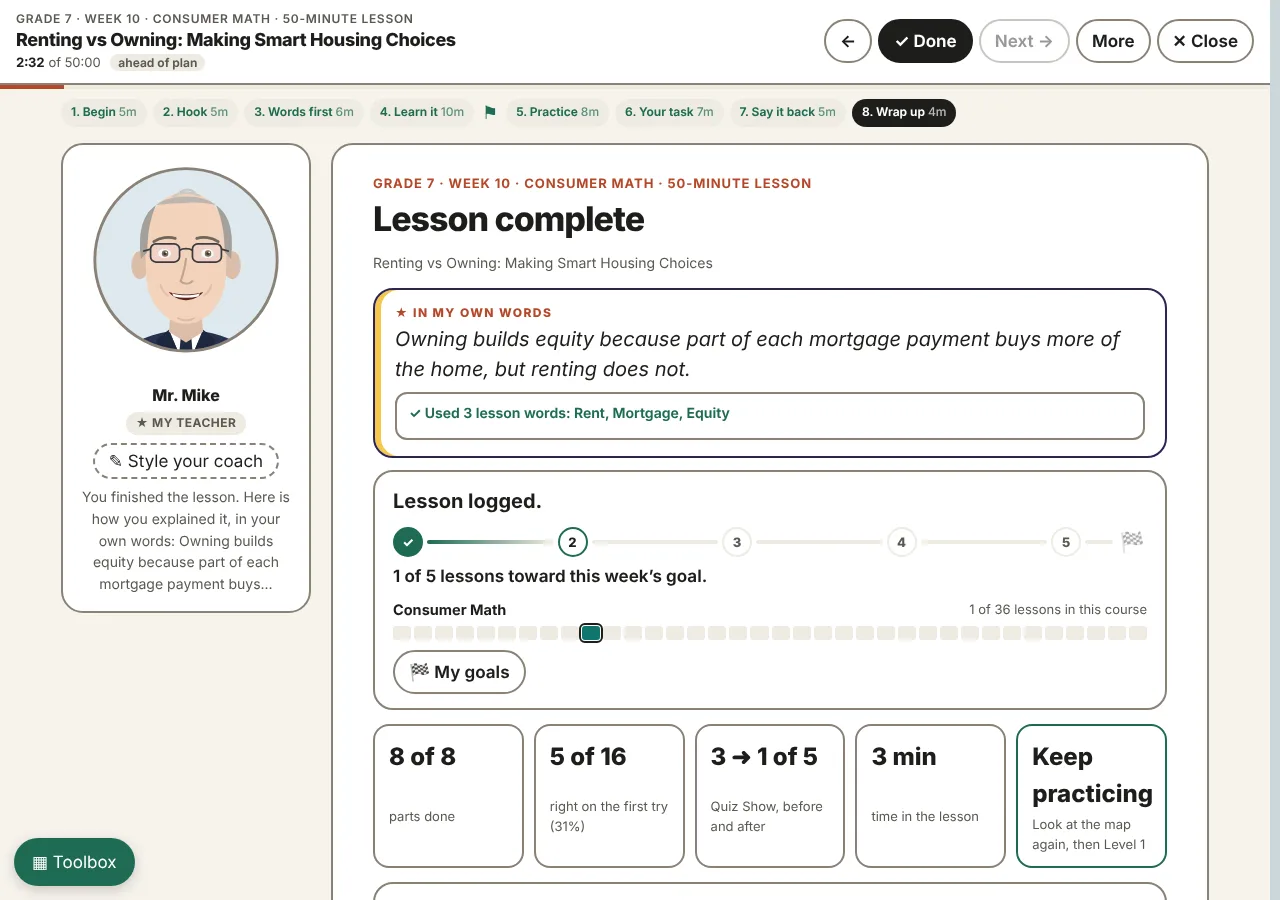
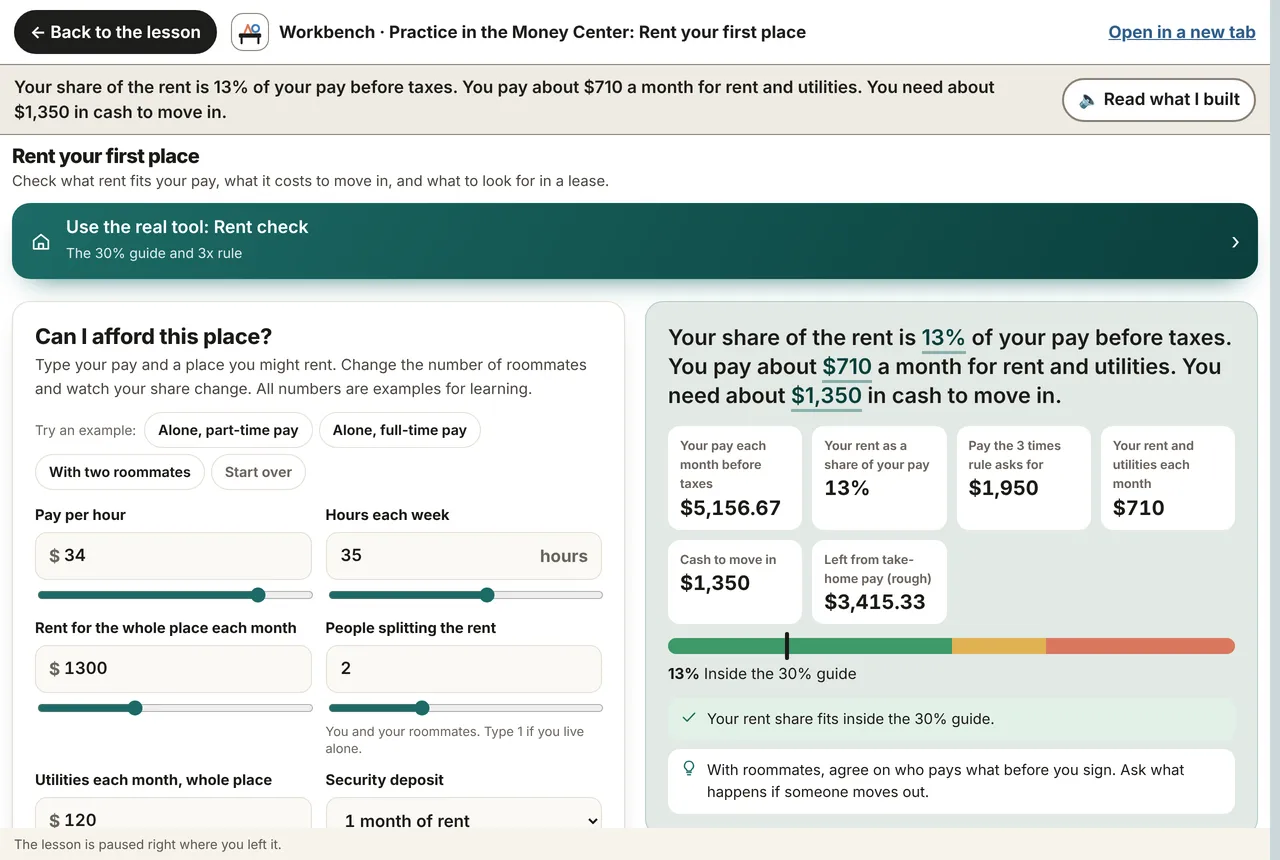
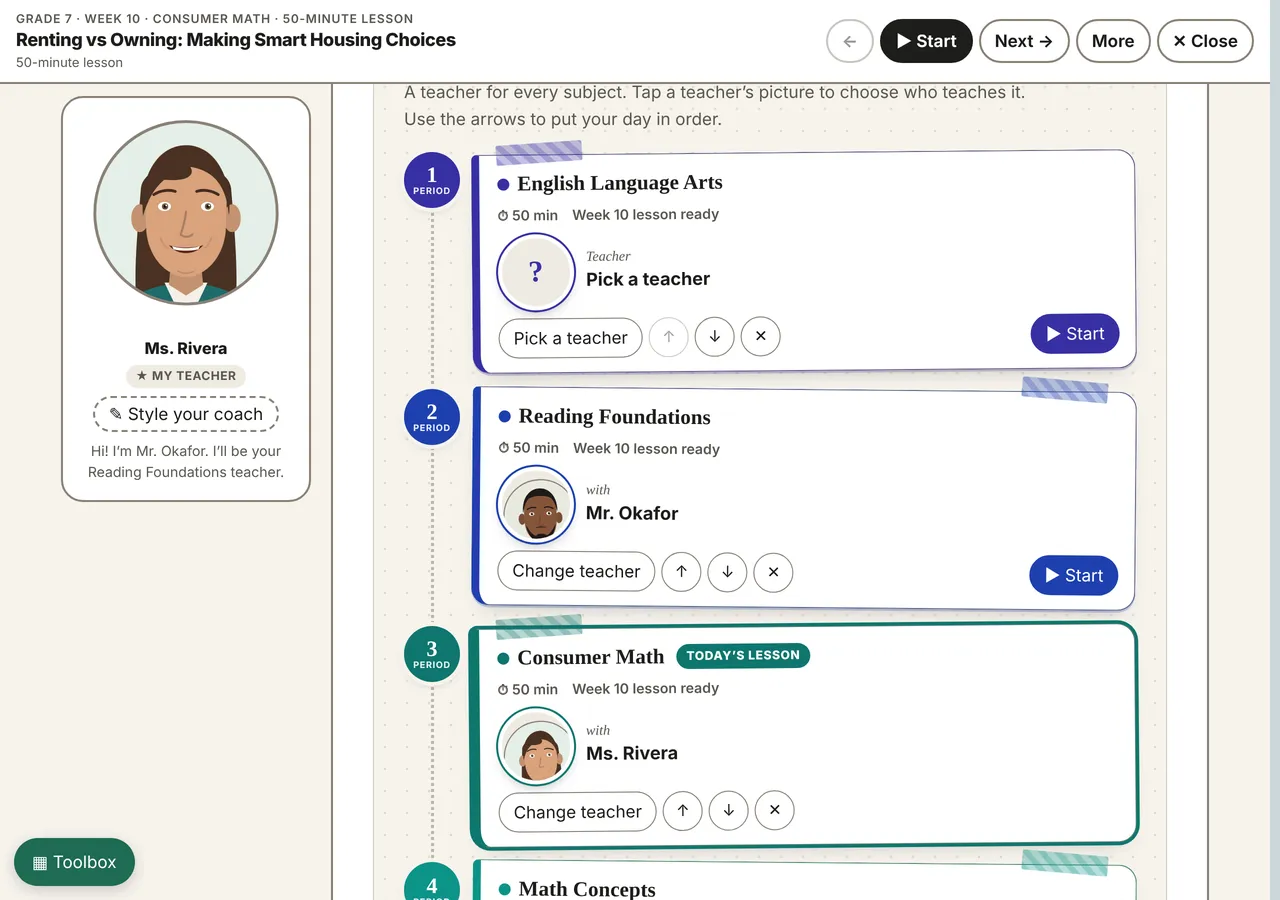
How a lesson runs
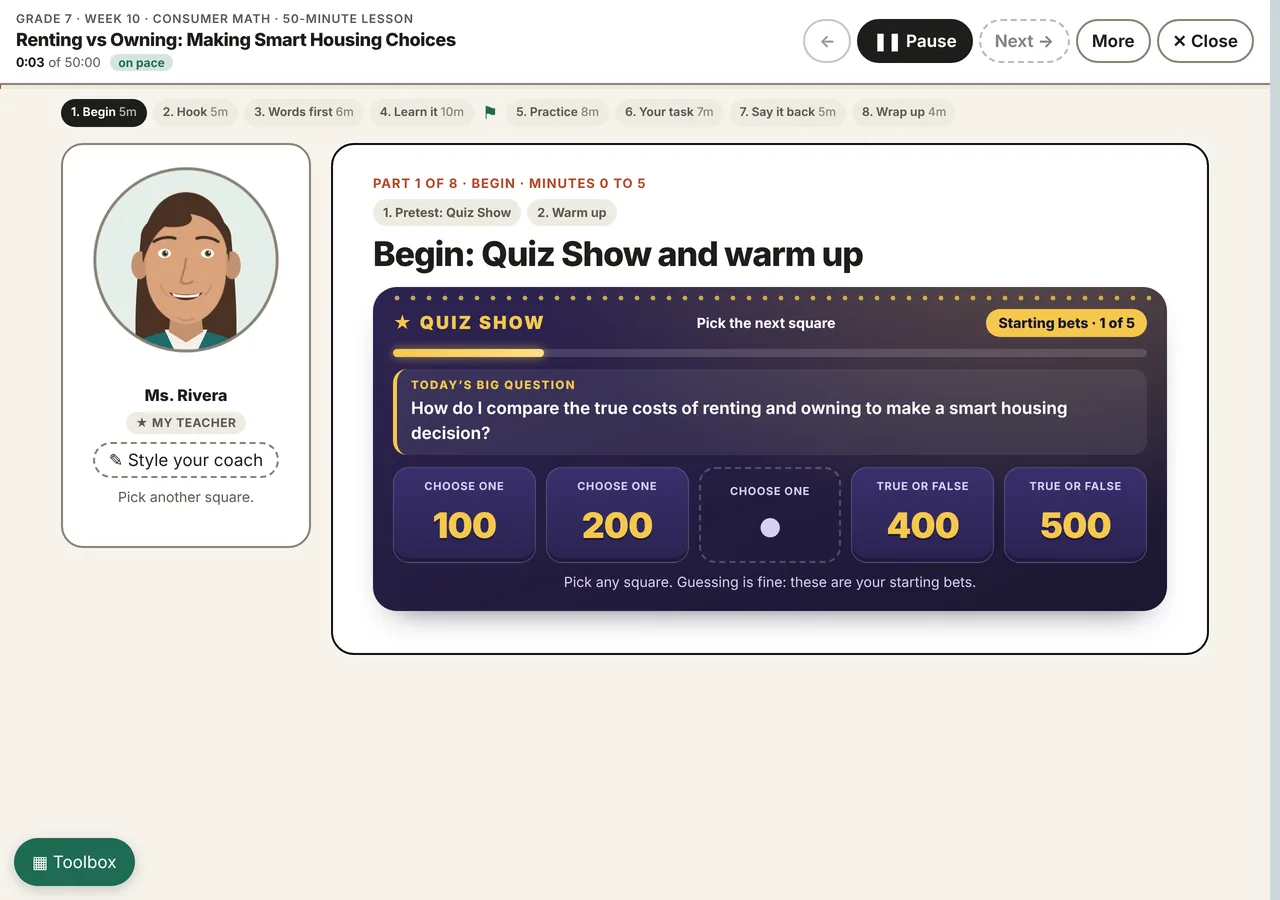
- 1. Begin. Today's big question first, then "five first guesses" on a mini Quiz Show board: five squares worth 100 to 500, picked in any order. Guessing is fine and no answers are shown yet; five new squares on the same ideas come at the end. "Remember last time" brings back two questions from the learner's last lesson in the same subject.
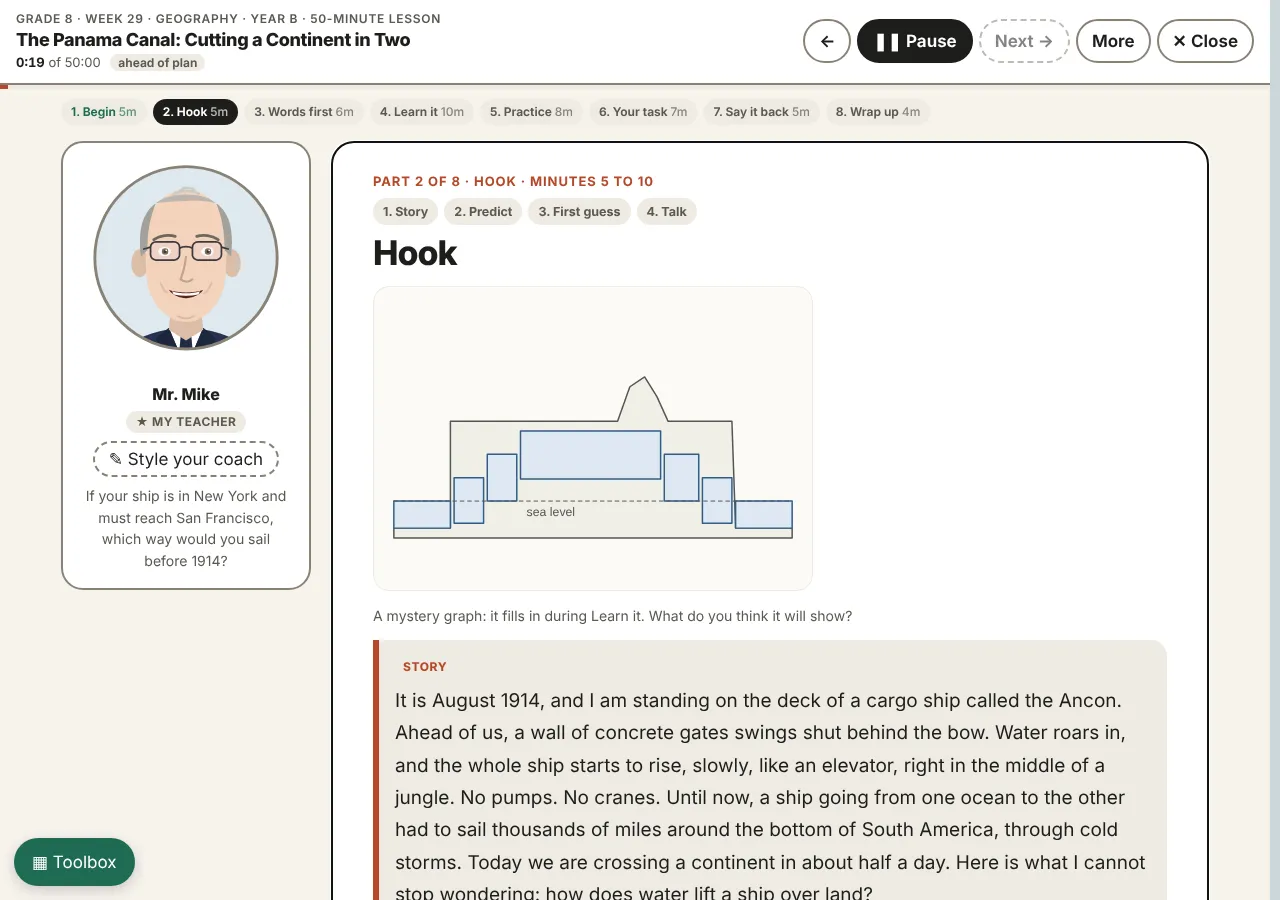
- 2. Hook. A short story written for this lesson, then a prediction to commit to, and a first guess at the big question, locked in and checked at the end. The lesson's graphic may start as a "mystery graph" that fills in later.
- 3. Words first. The lesson's words, each read aloud with its meaning; a matching game; the coach uses the words again on purpose later.
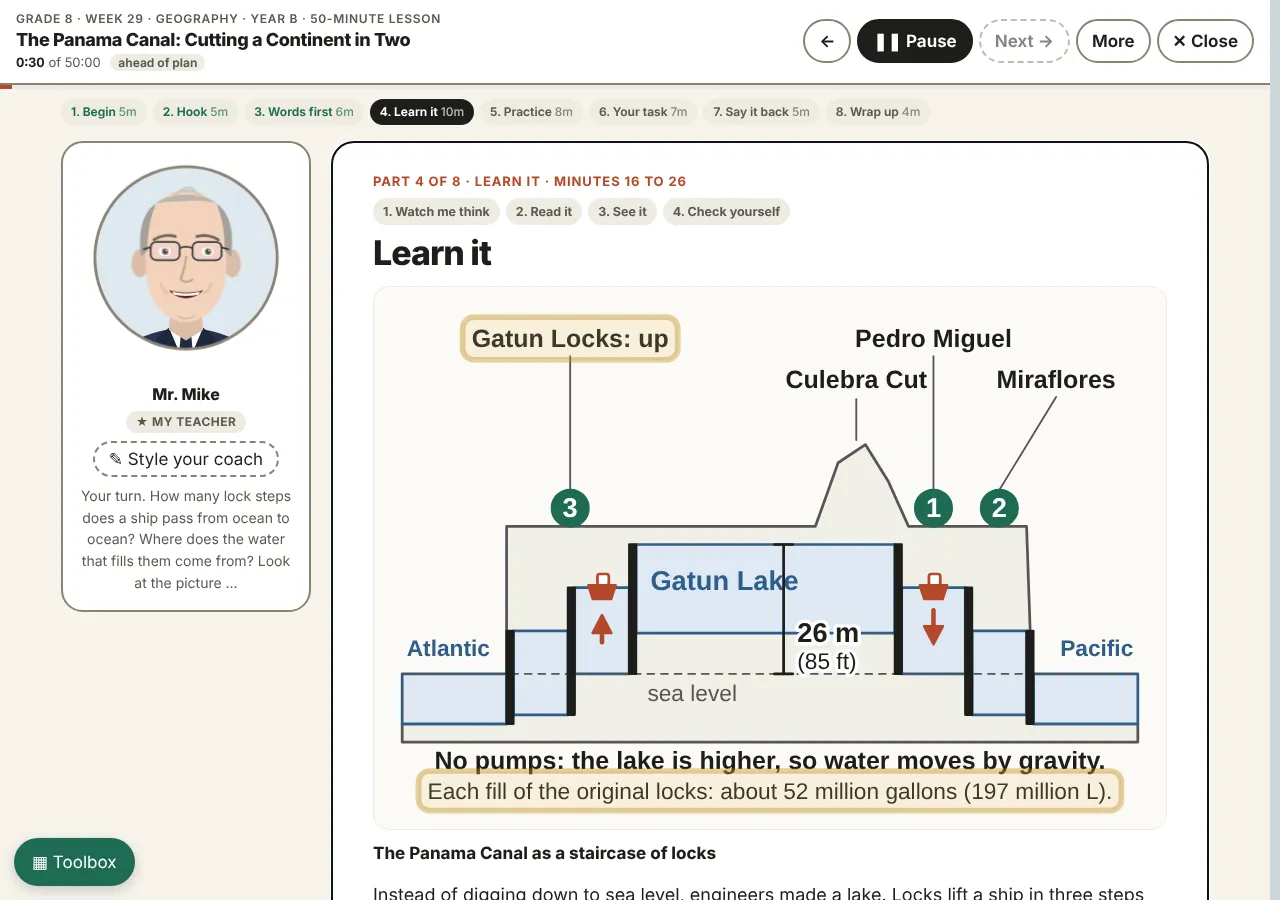
- 4. Learn it. The reading, a sentence at a time, highlighted as it is read. A think-aloud: the coach works a real example out loud, step by step. The coach explains each graphic like a teacher pointing at it, rings the parts, and offers "Connect it" links to related lessons that open beside the lesson and come back to the same place.
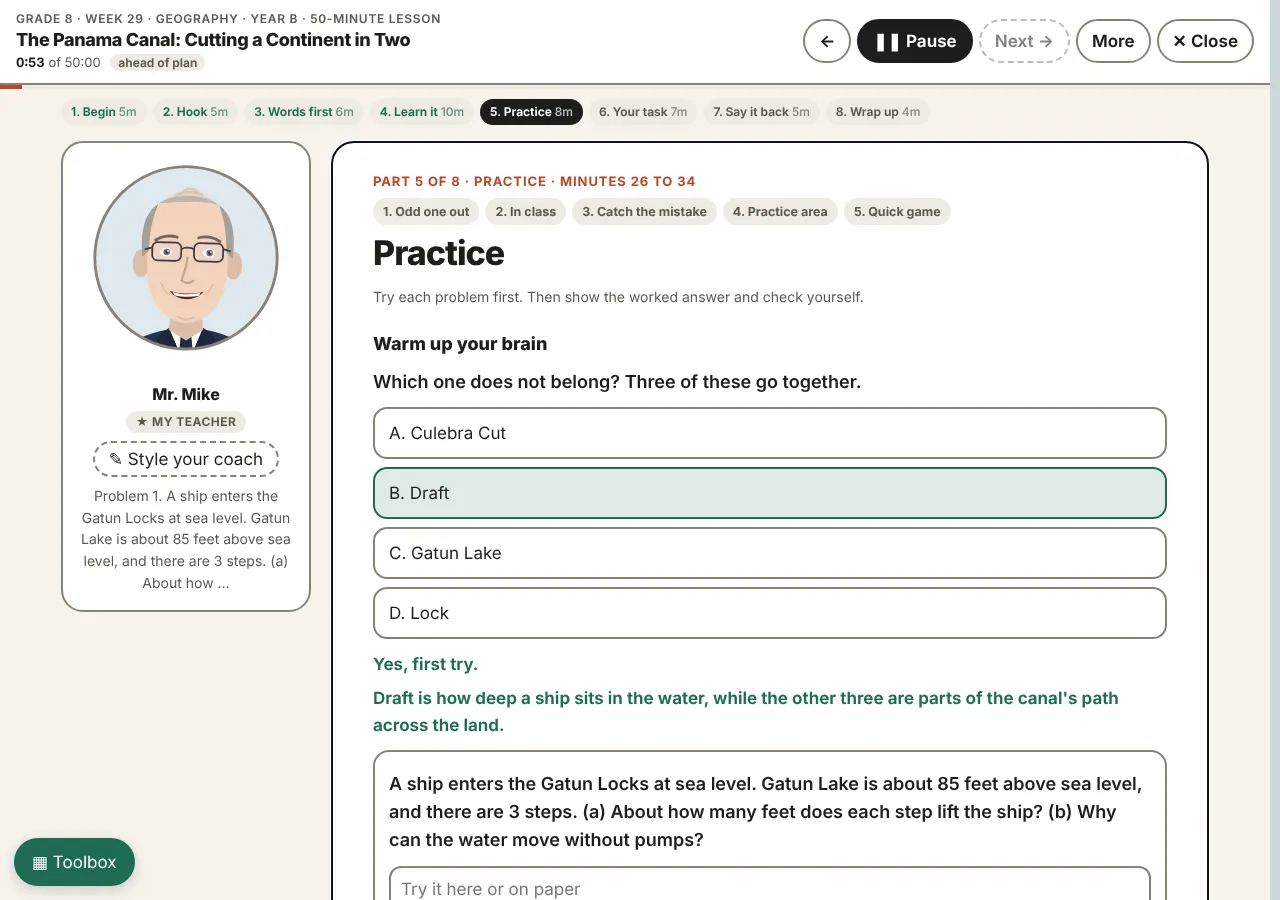
- 5. Practice. Problems tried first, then the worked answer and an honest "I got it / I was close / I need help" ("close" or "help" gives the next problem a head start, never more work). "Would you agree with this student?": a common mistake to find and fix. "Try it on the Workbench": change the numbers and watch the result; the coach reads back what was built.
- 6. Your task. A task tied to the learner's own life ("Make it yours"), with sentence starters shaped by the role the learner chose and the lesson's words as chips above the box. "Last time, you wrote ..." brings back the learner's own sentence from the last lesson. Stuck for a minute? "Pin it and come back": it returns in the Wrap up with an extra starter.
- 7. Say it back. Coach your coach: the coach shows sentences about the lesson, one wrong on purpose; the learner finds it and fixes it in their own words. Then the learner explains the idea, teaches the picture back ("tell me what this graphic shows"), and fills the gap in a key sentence. A lesson word counts only inside a whole sentence that says why or how.
- 8. Wrap up. Five new squares on the same ideas, so growth shows as two bars growing side by side; missed questions go back to the sentence or picture that answers them, then one like it ("Look back"); the first guess is checked; how sure the learner feels; the coach reads the learner's own explanation back ("In my own words"), and it heads the completion sheet; a report and a short checked code for the teacher.
The teaching moves
- New in November, from an outside review. Five first guesses on a mini board; a breather after two quick wrong answers (the coach slows down and points at the line that answers it); Coach your coach; lesson-word chips; In my own words read back at the end; Pin it and come back; a halfway checkpoint after Learn it with "Pick up at Practice" next time; Explorer / Builder / Judge roles (Investigator / Engineer / Critic for grades 7-12 and adults) that change the prompts and starters; goals instead of stickers: steps to a weekly goal and a strip for each course.
- Lesson-by-lesson scripts. Each lesson has its own hook story, prediction, think-aloud, common mistake, life connection, reteach path and challenge, written for that lesson, not a template. Lessons in 200 courses, kindergarten to grade 12, plus Adult Education modules.
- A coach with a face and a voice. Eight illustrated coaches and two the learner builds (skin, hair, clothes, voice, pitch). Each gets the best voice the device has; the mouth follows the speech. A learner can pick a different coach for each subject in "My School Day", a planner page of their day.
- Paced like a real lesson. Fifty minutes for grades 7-12, forty for 3-6, twenty-five for K-2, in eight parts. Each part opens when the work in it is done, not when a timer runs out. Support levels (More help, Just right, Challenge me) are set from the starting Quiz Show and can be changed.
- Teaching with pictures. "Show me on the picture" (a caption with a blank; the learner taps the right part of the graphic), the coach's picture talk, and "Teach the picture" back. For visual learners, the graphic is a teacher, not decoration.
- Memory on purpose. Remember last time (retrieval from the last lesson), Look back (a missed question goes back to its evidence), and a Quiz Show at both ends, with new questions on the same ideas at the end, so learning shows as growth, not a grade.
- Honest effort. Pasted text is turned away and counted; leaving the page is counted; a written answer needs a few words of the learner's own (one for K-2, three above); hints come from the reading itself. The point is not to catch anyone; it is to make the honest way the easy way.
- A toolbox one tap away. Words, notes, sentence starters, "Stuck?", every graphic, the lesson map, a times table, formulas, a desk calculator, and the lesson's Workbenches. A teacher's own PDF can open beside the lesson.
- Young learners and families. K-2 lessons are slower, larger and spoken more than written ("I said it out loud" counts). "Learn together" turns partner talk into talk between a grown-up and a child.
- Practice a single skill. Any of the Centers' 330 skills runs as a short My Teacher session: how sure am I, the words, short cards, the Workbench, five quick questions with the reason after each, and a report with the next skills in the same strand.
What the teacher gets
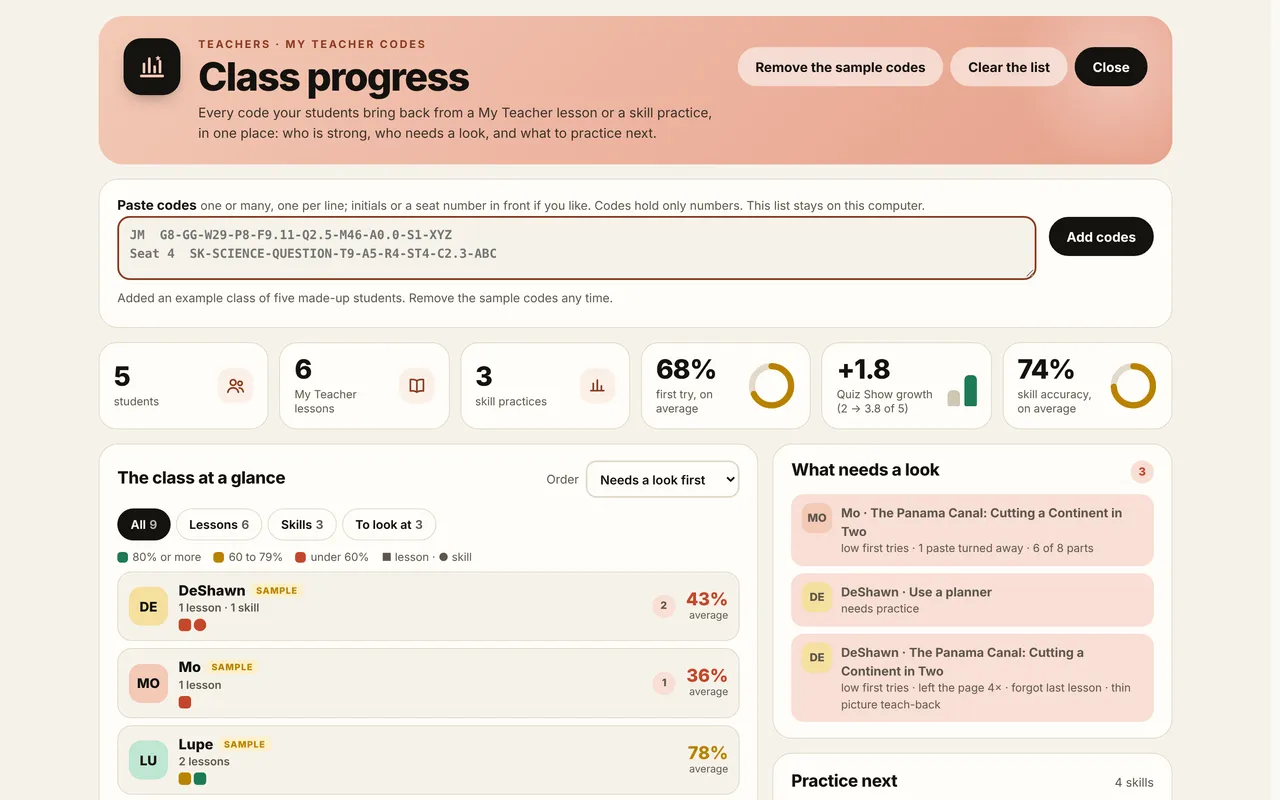
- A checked code, no names. At the end, the learner gets a code of 16 letters and numbers in four groups (the same code Tablet setup describes): grade, subject, week, parts done, first-try score, Quiz Show before and after, minutes, time away, pastes turned away, support level, what was recalled, fixed and taught back, and how many lesson words the learner used in whole sentences of their own (never the words themselves). It holds only numbers and a check, so a changed code is caught.
- Class progress. The teacher pastes the codes (initials or a seat number in front if they like). They see the class at a glance (a colored square for each lesson or skill), averages with Quiz Show growth, what needs a look (low first tries, a lesson left half done, time away, a lesson done twice), and the Center skills to practice next, which they can assign in the Print box, print, or send as links that open each skill in My Teacher.
- Everything else still works. The same lesson prints as a student packet, opens in Self Study, or runs on a projector in Present mode for the whole room with Turn and Talk timers.
Setting up tablets
A one-page sheet for staff: a clearer voice, sound, keeping a tablet on the lesson, credit codes and My work. Tablet setup
Privacy, access and fairness
- No accounts and no sign-in. Nothing a learner types leaves the device; progress is kept in the browser and the teacher's list stays on the teacher's computer.
- Codes carry numbers only. A teacher can add initials on their own computer; the site never sees a name.
- Voices built into the device stay on the device. An online voice (Microsoft Edge "Natural" voices, Google voices on Chrome and Chromebooks) sends the sentence being read to that company to be spoken, and is not used when the device is offline or set up as a student tablet. The Say it microphone uses the browser's own speech service (Google in Chrome). The pages count visits with Cloudflare Web Analytics: page views only, never a learner's work.
- Reduce Motion is honored, colors work in light and dark, everything works by keyboard, and My Vision (larger text, spacing, reading fonts, color filters) carries into the lesson.
Try it
Each link opens straight into My Teacher. The first time, the learner picks a coach and the lesson starts.
- A grade 8 Geography lesson
curriculumbydesign.org/Curriculum-by-Design-Grade-08.html?present=study#/w/29/geog - A grade 11 Chemistry lesson
curriculumbydesign.org/Curriculum-by-Design-Grade-11.html?present=study#/w/9/chem - A grade 4 Science lesson (3-6 band, 40 minutes)
curriculumbydesign.org/Curriculum-by-Design-Grade-04.html?present=study#/w/9/sci - A kindergarten Reading lesson (K-2 band, 25 minutes)
curriculumbydesign.org/Curriculum-by-Design-Grade-K.html?present=study#/w/5/read - An Adult Education module
curriculumbydesign.org/Curriculum-by-Design-Adult-Education.html?present=study#/s/level-1/m1 - A Center skill practice (Build a monthly budget)
curriculumbydesign.org/money-center.html?mt=1#/s/budget - The same lesson for a grown-up and a child together
curriculumbydesign.org/Curriculum-by-Design-Grade-02.html?present=study&together=1#/w/5/read - Class progress, with an example class (press "Try an example class")
curriculumbydesign.org/index.html?class=1
From the home page: the Students door, "Learn with My Teacher", pick a grade and a subject, Go. Every lesson page also has "Present this lesson" (Present for the room, or ★ My Teacher for one learner).